Story kit
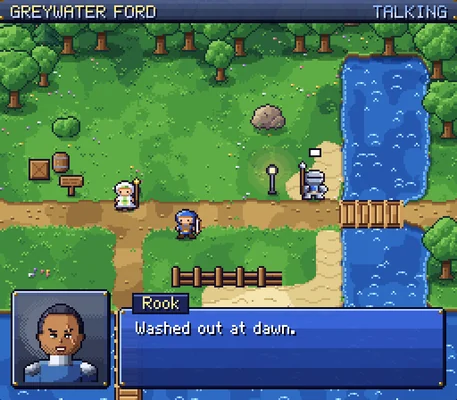
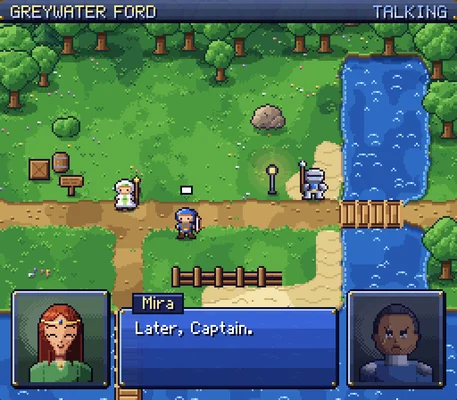
Typed lines with name plates, faces that react, and choices that set flags.
Open in the basketFaces that react while characters talk. An add-on for any game.
What it does
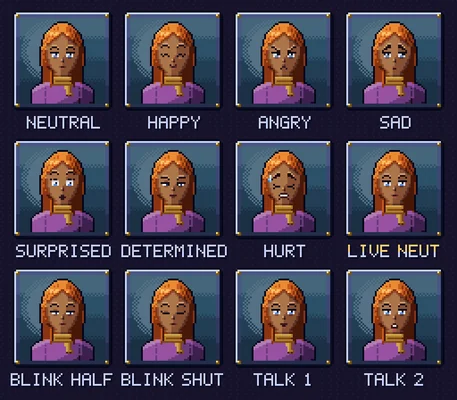
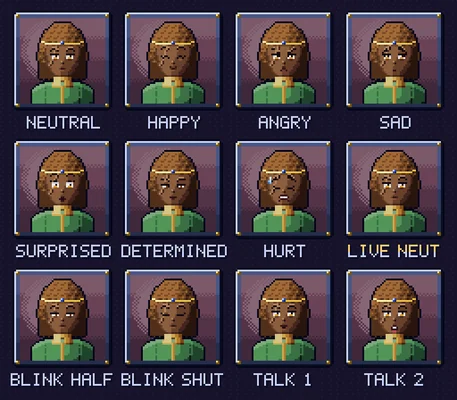
Hand-made-looking 16-bit bust portraits built from a small seeded spec (head, skin, eyes, brows, mouth, hair style and colour, ears, hood / helmet / circlet, scar or freckles.
Moments
 Play from here
 Play from here
 Play from here
 Play from here
Take it home
expressive-portraits.js) and its README.# Add Expressive portraits to my game Add the game element below to MY existing game, which you have not seen. It is a finished module file given with this prompt: - `expressive-portraits.js` (one global, `GameDNA_Portraits`), API reference `expressive-portraits.README.md` README example names are placeholders. ## Shared premises 1. **Include each module file verbatim; never edit it.** Load it with its own `<script src>` before the game's script, or paste it unchanged into its own `<script>` tag. If a module seems to need a change, adapt my game around it and tell me. 2. **Resolution:** keep my game's native resolution and integer scaling as they are. Call module draw functions on my 2D context inside the same transform as my sprites (one module pixel = one game pixel), and keep my game's own image-smoothing setting (off for pixel art, on for smooth or HD games; never switch it). 3. **Time:** drive every module from one fixed 60 Hz step (1000 / 60 ms). If my loop uses variable delta time, accumulate it and run whole steps (at most 250 ms per frame). 4. **Coordinates:** native screen pixels (world minus camera) unless a section says tiles. 5. **Art and names:** anything new you draw or name is original (no real game, character, place or brand names); English UI text; do not restyle my game. 6. **Hook, don't replace:** add calls or change bodies; never delete or rename a function.Open the whole prompt
Works well with
Typed lines with name plates, faces that react, and choices that set flags.
Open in the basket