Skip to content
Game DNA Play a demo

Ribbon trails

Smooth tapered trails behind swords, dashes and bolts. An add-on for any game.

Live demoPlay with it: the controls sit beside or under the game.

✦ AI art Some pictures in this demo (characters, backdrops or UI frames) were made with an AI image generator. The element's code draws nothing generated. About the art

What it does

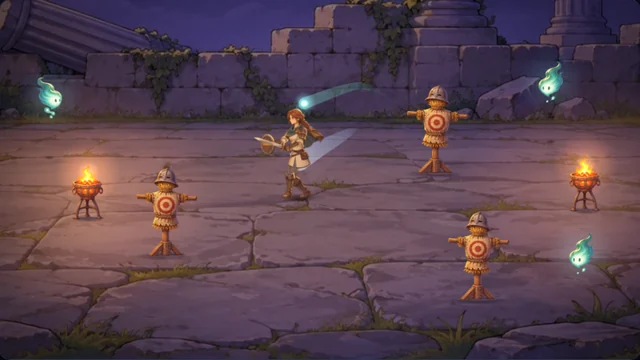
Smooth tapered ribbons behind anything fast: a sword swing leaves a swept crescent from hilt to tip, a dash or lunge a soft body-wide ribbon, a projectile a thin curved trail with a bright additive core.

Made fortop-down action RPG (sword swings, dashes, magic bolts)side-scrolling action / platformer (slashes, air dashes, projectiles)beat-'em-up and character actiontwin-stick and bullet-hell shooters (projectile trails)turn-based battles with attack animations (a lunge or swing on the attack frame)any 2D game drawn on a canvas, pixel or HD

Tested: 8/8 runs on unseen games passed · visual review 7.8
Moments

Four moments from the demo

Mid-swing: a crescent from hilt to tip, brightest at the blade.Play from here
Mid-swing: a crescent from hilt to tip, brightest at the blade.
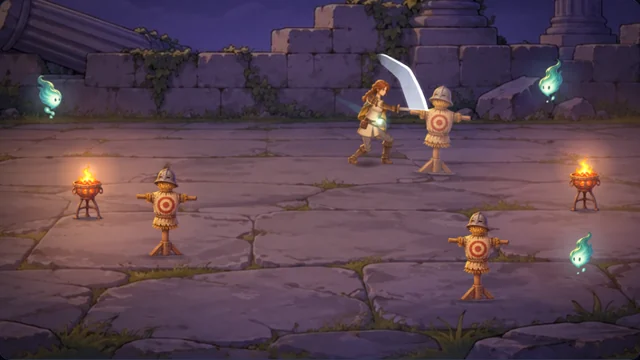
Dash: a soft ribbon from the old position to the hero.Play from here
Dash: a soft ribbon from the old position to the hero.
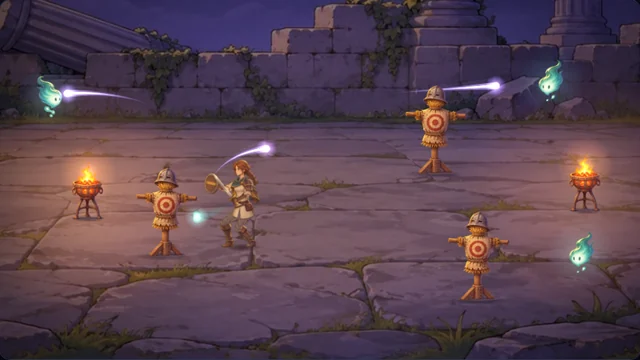
Homing bolts: thin curved trails with a bright core.Play from here
Homing bolts: thin curved trails with a bright core.
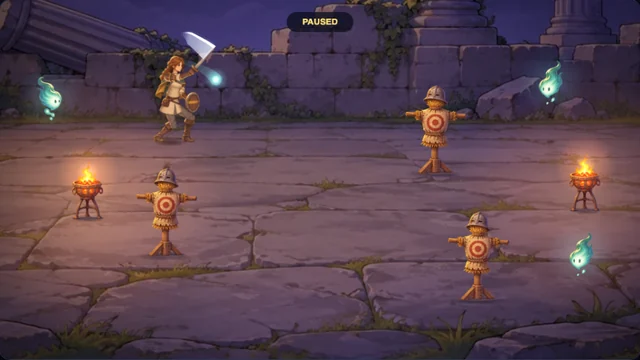
Paused mid-swing: the crescent holds still under PAUSED.Play from here
Paused mid-swing: the crescent holds still under PAUSED.

Take it home

Hand it to your agent

  1. Copy the prompt. It is written for a game your agent has never seen.
  2. Give it the module (ribbon-trails.js) and its README.
  3. Play your game. The prompt ends with checks your agent can run.
ModuleREADME
prompt.md · 72 lines
# Add Ribbon trails to my game

Add the game element below to MY existing game, which you have not seen. It is a finished module file given with this prompt:

- `ribbon-trails.js` (one global, `GameDNA_Ribbons`), API reference `ribbon-trails.README.md`

README example names are placeholders.

## Shared premises

1. **Include each module file verbatim; never edit it.** Load it with its own `<script src>` before the game's script, or paste it unchanged into its own `<script>` tag. If a module seems to need a change, adapt my game around it and tell me.
2. **Resolution:** keep my game's native resolution and integer scaling as they are. Call module draw functions on my 2D context inside the same transform as my sprites (one module pixel = one game pixel), and keep my game's own image-smoothing setting (off for pixel art, on for smooth or HD games; never switch it).
3. **Time:** drive every module from one fixed 60 Hz step (1000 / 60 ms). If my loop uses variable delta time, accumulate it and run whole steps (at most 250 ms per frame).
4. **Coordinates:** native screen pixels (world minus camera) unless a section says tiles.
5. **Art and names:** anything new you draw or name is original (no real game, character, place or brand names); English UI text; do not restyle my game.
6. **Hook, don't replace:** add calls or change bodies; never delete or rename a function.
Open the whole prompt